VAT Calculator
VAT Calculator
$
%

Result

Net amount
VAT amount
Gross amount

VAT Calculator

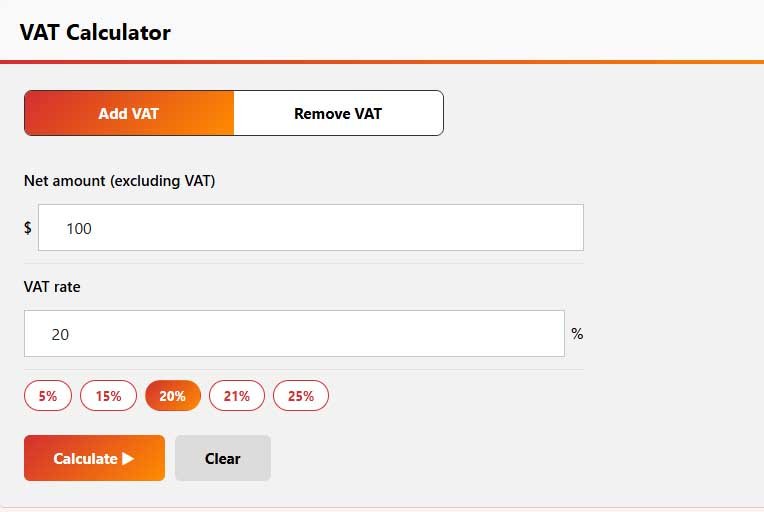
A VAT Calculator is a simple online tool that helps you calculate Value Added Tax (VAT) quickly and accurately. Whether you need to add VAT to a price, remove VAT from a VAT-inclusive amount, or find the VAT portion of a purchase, the calculator makes the process much easier.

VAT calculations are especially useful for businesses, freelancers, shoppers, and anyone dealing with invoices or taxable purchases. Instead of calculating percentages manually, you can enter the amount and VAT rate to instantly estimate the VAT and final price.

VAT calculator for tax and price estimates

How Does a VAT Calculator Work?

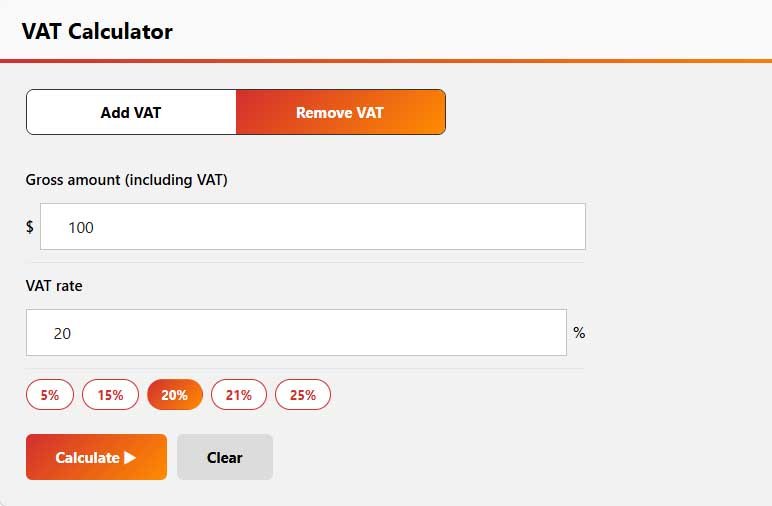
A VAT Calculator works by applying the selected VAT rate to the original price. You can use it to calculate a VAT-inclusive price when VAT needs to be added, or reverse the calculation when the displayed price already includes VAT.

For example, if an item costs £100 before VAT and the VAT rate is 20%, the VAT is £20, and the final price becomes £120. A 20 VAT calculator can perform this calculation instantly without requiring manual percentage calculations.

VAT Calculator Formula

Understanding the VAT calculator formula makes it easier to see how the result is calculated. For adding VAT to a net price:

VAT Amount = Net Price × VAT Rate ÷ 100

Gross Price = Net Price + VAT Amount

When removing VAT from a VAT-inclusive price:

Net Price = Gross Price ÷ (1 + VAT Rate ÷ 100)

VAT Amount = Gross Price − Net Price

For example, at a 20% VAT rate, a £120 VAT-inclusive price contains £20 VAT and £100 net value.

UK VAT Calculator

A VAT calculator that UK users can rely on is particularly useful because the standard UK VAT rate is 20%, while certain goods and services may qualify for reduced or zero rates. The appropriate rate depends on what is being sold and the applicable UK VAT rules.

For a standard 20% calculation, simply enter the price and select 20%. The calculator can then show the VAT amount and the total price. This is useful when preparing invoices, checking receipts, estimating business expenses, or comparing prices before and after VAT.

Using Different VAT Rates

Not every VAT calculation uses the same percentage. Businesses may need to work with different rates depending on the country, product, or service. For this reason, a flexible VAT Calculator should allow you to enter or select the rate you need.

For example, a 7.5 VAT calculator can be used when the applicable VAT rate is 7.5%. Similarly, a 5 VAT calculator can calculate VAT using a 5% rate. These options are useful when you need to calculate tax for specific transactions rather than relying only on the standard UK rate.

The important point is to use the VAT rate that applies to your particular transaction.

How to Calculate VAT on a Calculator

If you are wondering how to calculate VAT on a calculator, the process is straightforward. First, identify whether your starting amount is before or after VAT. Then enter the amount and applicable VAT percentage.

For example, to add 20% VAT to £500:

  • Net price: £500
  • VAT rate: 20%
  • VAT: £100
  • Total including VAT: £600

If £600 already includes 20% VAT, you would reverse the calculation to find the original £500 net amount. This distinction is important because simply taking 20% of a VAT-inclusive price does not correctly identify the VAT portion.

VAT Calculator App and Free Tools

A VAT Calculator app can be useful for people who regularly need to calculate tax while working, shopping, creating invoices, or checking business expenses. Having a calculator available on a phone can make quick VAT calculations more convenient.

If you only need occasional calculations, a free VAT Calculator app or a free online VAT calculator can provide the functionality you need without requiring paid software. An online tool is also convenient because you can use it directly from a browser on a computer or mobile device.

Benefits of Using a VAT Calculator

A VAT calculator can save time and reduce common percentage-calculation mistakes. It is useful for both simple personal calculations and regular business tasks.

Key benefits include:

  • Quickly calculate VAT on a product or service.
  • Add VAT to a net price and find the gross amount.
  • Remove VAT from a VAT-inclusive price.
  • Work with different VAT percentages.
  • Check invoices and receipts more easily.
  • Estimate the tax portion of business purchases.
  • Calculate VAT from a phone, tablet, or computer.
  • Avoid repetitive manual calculations.

Who Should Use a VAT Calculator?

A VAT Calculator can be useful for business owners, freelancers, accountants, online sellers, employees, and consumers. Businesses can use it when preparing quotations and invoices, while shoppers can use it to understand the tax included in a listed price.

It can also help when comparing prices between suppliers or checking whether an invoice has been calculated correctly. For international transactions, remember that VAT rules and applicable rates can differ, so the correct tax treatment should always be confirmed for the specific transaction.

Is a VAT Calculator app free?

Some VAT calculator apps and online tools are available for free. A free browser-based calculator can be convenient when you only need quick VAT calculations.

What is the VAT calculator formula?

To add VAT, use VAT = Net Price × VAT Rate ÷ 100. To find the net amount from a VAT-inclusive price, use Net Price = Gross Price ÷ (1 + VAT Rate ÷ 100).

Frequently Asked Questions

VAT, or Value Added Tax, is a consumption tax applied to many goods and services. Businesses generally collect VAT from customers and account for it according to the applicable tax rules.

The standard UK VAT rate is 20%. However, some goods and services can have different VAT treatments, including reduced or zero rates.

Multiply the net price by 20 and divide by 100. For example, £100 × 20% = £20 VAT, giving a total of £120 including VAT.

For a price that already includes 20% VAT, divide the gross amount by 1.20 to find the net price. The difference between the gross and net amounts is the VAT.


Yes. If the applicable VAT rate is 5% or 7.5%, enter that percentage into the calculator to calculate the corresponding VAT amount.

Related Calculator:

Explore more financial tools designed to simplify your calculations. Whether you’re planning a mortgage, estimating an auto loan, calculating taxes, or tracking investment growth, our free calculators provide fast and accurate results to help you make smarter financial decisions.