
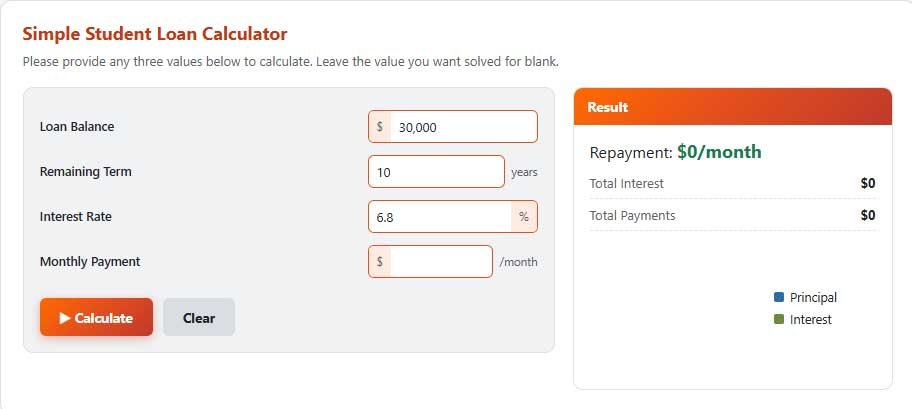
Payment, term or balance
Fill in three of the four boxes and leave the one you want to find empty.
Pay it off faster
See how much time and interest you save by paying the loan off now, adding extra payments, or sticking with your normal schedule. Your balance, payment and rate are on your monthly statement.
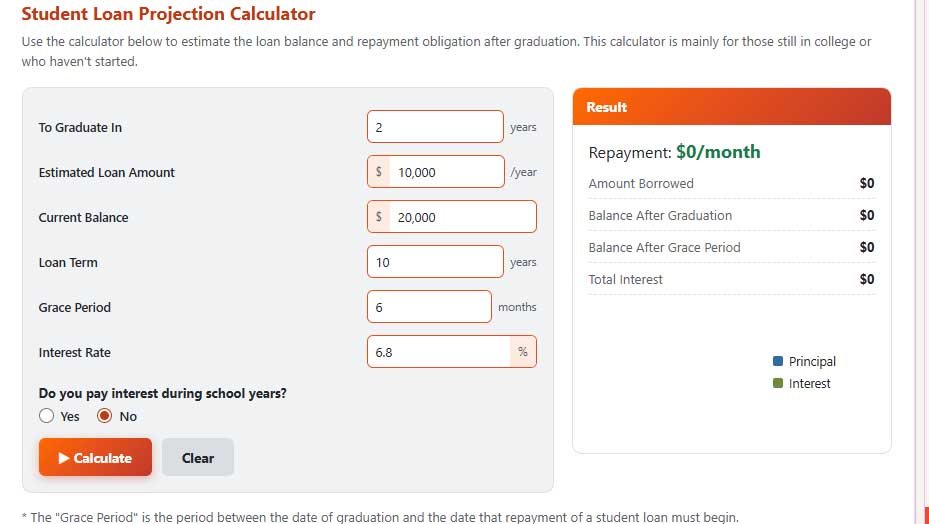
Still in school? Project your balance
For current and future students: estimate what you will owe when you graduate and what your monthly payment will be after the grace period.
* The grace period is the time between leaving school and your first required payment, often six months for federal loans.
* For some direct subsidized loans, you do not need to pay interest during school years or the grace period.
* This calculator assumes loans to be repaid each month equally right after graduation or the grace period. It also does not take into account any loan fees.
Estimates only, based on the values you enter and a constant interest rate. Actual loan servicer rules, capitalization timing, and fees vary. Not financial advice.
What is a student loan calculator?
This Student Loan Calculator has three tools. The first solves for your monthly payment, term or balance. The second shows how much time and interest you save with extra payments. The third projects what a current student will owe at graduation. It works for federal and private loans on a standard fixed-payment schedule.
How to use it
- Payment, term or balance: fill in three values and leave the fourth blank.
- Pay it off faster: enter your balance, payment and rate from your statement, choose a repayment option and add any extra monthly, yearly or one-time amount.
- Project your balance: enter years until graduation, how much you expect to borrow each year, your current balance, the term, the grace period, the rate and whether you pay interest while in school.
Student loan payment formula
M = P × r(1 + r)^n ÷ ((1 + r)^n − 1)
where M is the monthly payment, P is the balance, r is the monthly rate (annual rate ÷ 12) and n is the number of payments (120 for a 10-year standard plan).
Example
A $30,000 loan at 6% on a 10-year plan costs about $333.06 a month, with $9,967.20 in total interest. Running the “Pay it off faster” tool with an extra $100 a month pays the loan off in 7 years and 2 months with $6,921.13 in interest, a saving of about $3,046.
Income-driven repayment plans
Federal loans offer income-driven repayment plans where the payment is based on your income and family size rather than on your balance alone. This calculator does not calculate those payments. To estimate them, and to compare federal plans, use the official Loan Simulator on studentaid.gov.
Paying extra
Extra payments reduce principal faster, so less interest builds up. When you pay extra, ask your servicer to apply it to principal on your highest-rate loan rather than to future payments.
Several loans at different rates
Many borrowers have several loans. Keep paying the required amount on each, and put any extra money on the loan with the highest interest rate; that saves the most interest. Use the second tool once for each loan to see the effect.
Tips
- If you can, pay the interest while you are still in school so it does not get added to your balance.
- Set up automatic payments; many lenders and servicers offer a small rate discount for it.
- Be careful when refinancing federal loans into a private loan: you lose access to federal plans and protections.
- Check your loans and repayment options at studentaid.gov.
Frequently Asked Questions
It applies the monthly rate to the remaining balance each month. For a $30,000 loan at 6%, the first month’s interest is $150, and the rest of a $333.06 payment reduces the balance.
Yes, for the standard fixed-payment plan. For income-driven plans, use the Loan Simulator on studentaid.gov, because those payments depend on income and family size.
On a $30,000 loan at 6% over 10 years, adding $100 a month pays it off in 7 years and 2 months and saves about $3,046 in interest.
No. Income-driven payments depend on your income, family size and the plan’s rules. Use the official Loan Simulator on studentaid.gov to estimate them.
Yes. By entering your balance, interest rate, and monthly payment, you can estimate how long repayment may take and when the balance could potentially reach zero.
Disclaimer: This calculator gives estimates for general information only. It is not financial, tax or legal advice. Results depend on the numbers you enter and on simplified assumptions, so your actual figures may differ. Check important decisions with a qualified professional or the official source.
Related Calculators
For college costs and other debts, these calculators may also help.
Written by Sharp Calculator Team — we build and test every calculator on this site, checking each formula against hand-worked examples and official sources. Last updated: October 2026.