
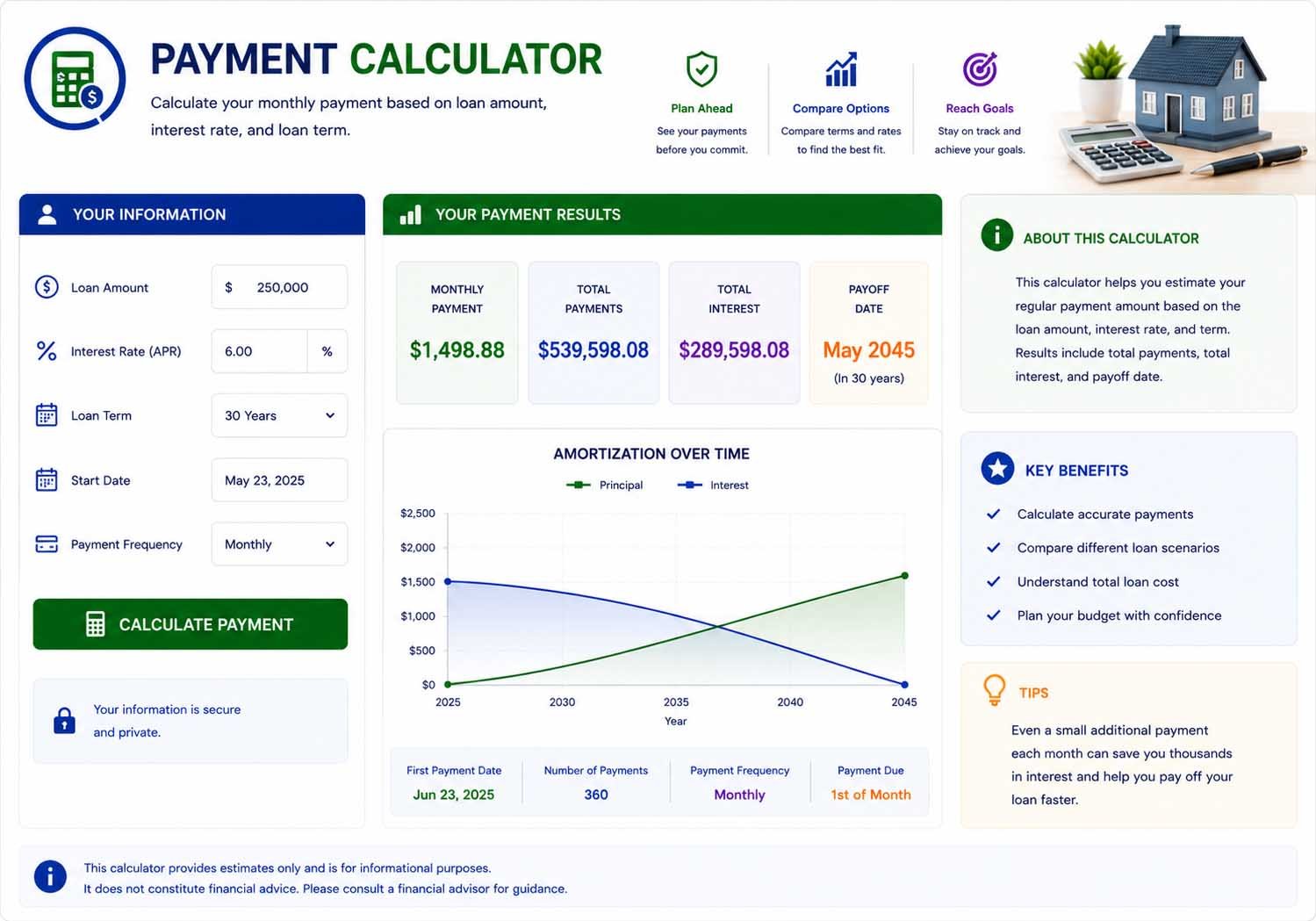
Amortization Schedule
| Year | Interest | Principal | Ending Balance |
|---|
Balance & Payments Over Time
What is a payment calculator?
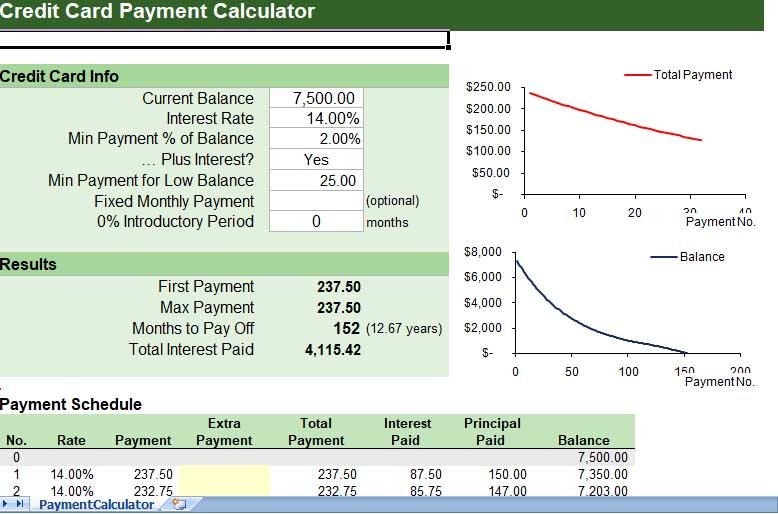
This Payment Calculator answers two everyday borrowing questions. Fixed Term mode tells you the monthly payment needed to pay off a loan in a set number of years. Fixed Payments mode works the other way: you choose how much you can pay each month and it tells you how many months it will take to clear the balance. It is handy for anyone planning a budget around a loan, a card balance or a family loan.
How to use it
- Pick Fixed Term if you know how long you want to take, or Fixed Payments if you know what you can pay each month.
- Enter the loan amount and the interest rate.
- Enter the term in years, or your fixed monthly payment.
- Click Calculate to see the result, the amortization schedule and a chart of the balance over time.
Formulas behind the two modes
Fixed Term (find the payment): M = P × r(1 + r)^n ÷ ((1 + r)^n − 1)
Fixed Payments (find the number of months): n = −ln(1 − r × P ÷ M) ÷ ln(1 + r)
In both, P is the balance, M is the monthly payment and r is the monthly interest rate (annual rate ÷ 12). If the payment is not larger than the first month’s interest (r × P), the balance never goes down.
Example: how long will a fixed payment take?
You owe $10,000 at 8% and can pay $300 a month:
- r = 0.08 ÷ 12 = 0.006667
- n = −ln(1 − 0.006667 × 10,000 ÷ 300) ÷ ln(1.006667) ≈ 37.6
- So it takes about 38 months (just over 3 years), with total interest of about $1,347.
Raise the payment to $400 and the time drops to about 28 months. The same balance repaid over exactly 3 years (Fixed Term mode) needs a payment of about $313.36.
Which mode should you use?
Use Fixed Term when the deadline matters: for example, paying off a loan before a child starts college. Use Fixed Payments when the budget matters: for example, you know you can spare $300 a month and want to see when you will be debt-free. Switching between the two shows the trade-off between a lower payment and a longer payoff time.
Tips
- Even a small increase in your monthly payment can cut months, and interest, from the payoff time.
- Make sure your fixed payment is well above the monthly interest, or the balance will barely move.
- Check whether your lender charges a fee for paying early before you plan to pay faster.
Frequently Asked Questions
Use Fixed Payments mode. For example, $10,000 at 8% paid at $300 a month takes about 38 months. The formula is n = −ln(1 − rP ÷ M) ÷ ln(1 + r).
Use Fixed Term mode and enter the number of years until your target date. Paying $10,000 at 8% off in 3 years takes about $313.36 a month.
Early payments are mostly interest. If your payment is only a little above the monthly interest charge, very little goes to principal. Raising the payment, even slightly, makes a big difference.
Yes, as long as you stop adding new charges. Enter the balance, the card APR and the amount you plan to pay each month in Fixed Payments mode. For a detailed card plan, see the Credit Card Payoff Calculator.
Yes. Paying more each month reduces the balance faster, so less interest builds up. In the example, raising the payment from $300 to $400 saves several hundred dollars in interest.
Disclaimer: This calculator gives estimates for general information only. It is not financial, tax or legal advice. Results depend on the numbers you enter and on simplified assumptions, so your actual figures may differ. Check important decisions with a qualified professional or the official source.
Related Calculators
For more detail on a particular loan or debt, try these calculators.
Written by Sharp Calculator Team — we build and test every calculator on this site, checking each formula against hand-worked examples and official sources. Last updated: October 2026.