Margin Calculator
Margin Calculator
$
$
%

Result

Margin Calculator

A Margin Calculator helps you quickly determine how much profit you earn from a sale and what percentage of the selling price represents your profit. It is useful for businesses, retailers, freelancers, investors, and traders who need to understand profitability before making financial decisions.

Margin is different from markup, even though the two terms are often confused. A margin is based on the selling price, while markup is based on the cost. Understanding this difference can help you price products correctly and evaluate your actual profitability.

margin calculator for profit margin estimates

How Does a Margin Calculator Work?

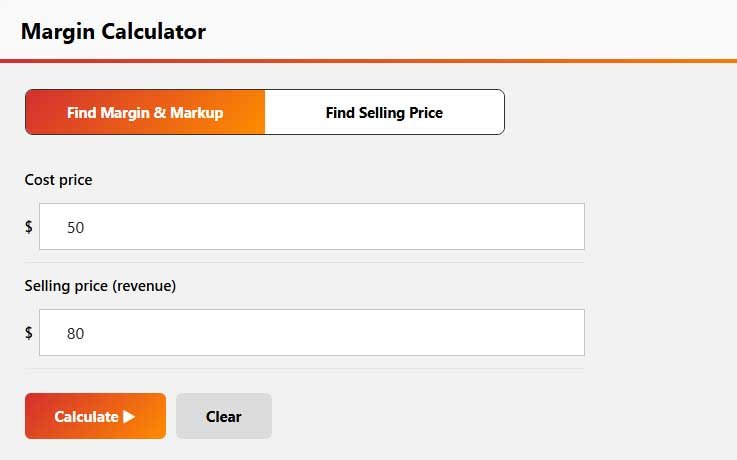
A margin calculator uses the cost of a product or service and its selling price to calculate the profit and profit margin. For example, if a product costs $60 and sells for $100, the profit is $40, and the profit margin is 40%.

A Profit Margin Calculator can be used for individual products, services, or larger business calculations. By changing the cost and selling price, you can quickly see how different pricing decisions affect your profit.

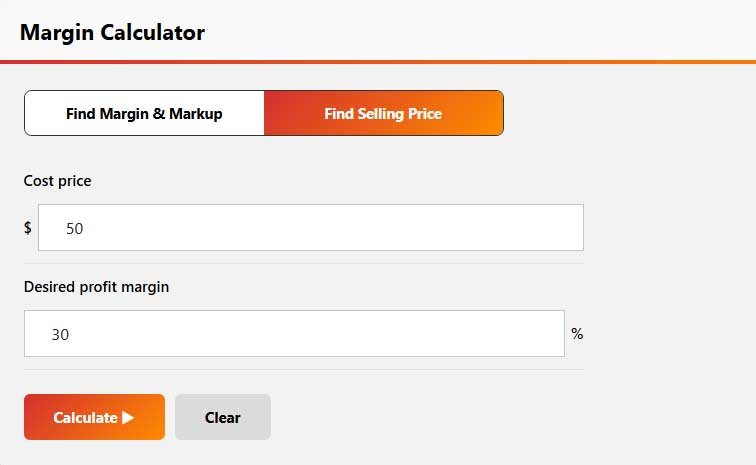
The calculator can also be useful when working backward. If you know your desired margin and product cost, you can estimate the selling price needed to achieve that target.

Margin Calculator Formula

The basic margin calculator formula uses profit divided by revenue or selling price:

Profit = Selling Price − Cost

Profit Margin = (Profit ÷ Selling Price) × 100

For example, if the selling price is $200 and the cost is $120, the profit is $80. The profit margin is therefore 40%.

This formula is useful for understanding the percentage of each sale that remains after the cost of the product or service has been deducted.

Profit Margin and Sales Margin

A Sales Margin Calculator helps businesses understand the amount of profit generated from sales. Sales margin is commonly expressed as a percentage, allowing businesses to compare profitability across different products, services, or periods.

For example, two products may generate the same dollar profit but have very different margins because their selling prices and costs are different. Looking at the margin percentage provides additional context when evaluating pricing and profitability.

A Profit Margin Calculator can also help businesses set pricing targets. If you want to maintain a specific margin, you can compare your current selling price with the price required to achieve your target.

Markup to Margin Calculator

A Markup to Margin Calculator is useful because markup and margin are calculated from different bases. Markup measures profit as a percentage of cost, while margin measures profit as a percentage of selling price.

For example, a 25% markup does not equal a 25% profit margin. If an item costs $100 and has a 25% markup, its selling price is $125. The profit is $25, but the margin is 20% because $25 is 20% of the $125 selling price.

The conversion between the two is:

Margin = Markup ÷ (1 + Markup)

For a 25% markup:

Margin = 25% ÷ 1.25 = 20%

This distinction is particularly important for retailers and businesses setting product prices.

Margin Calculator for Forex and Trading

A Margin Calculator Forex tool helps traders estimate the margin required to open and maintain a leveraged position. Forex margin is different from a business profit margin because it relates to the amount of funds required to support a trading position.

A Margin Calculator Trading tool can be useful when evaluating position size, leverage, account balance, and margin requirements. Traders can use these calculations to better understand how much capital may be tied up in a position.

Forex brokers can have different margin requirements, leverage limits, and contract specifications. Therefore, calculator results should be checked against the rules and specifications of the relevant broker before placing a trade.

Margin Calculator in Excel

A Margin Calculator Excel spreadsheet can be useful for businesses that need to calculate margins for many products at once. You can create columns for product cost, selling price, profit, and margin percentage, then apply the same formula across multiple rows.

For example, if the cost is in cell A2 and the selling price is in B2, a basic Excel margin calculation can be represented as:

=(B2-A2)/B2

You can then format the result as a percentage. Excel is particularly useful when you want to compare margins across a product catalog, sales report, or pricing sheet.

An online calculator is generally faster for individual calculations, while Excel can be more convenient when working with larger datasets.

Margin Calculator App and Online Tools

A Margin Calculator App can provide quick access to margin calculations from a mobile device. This can be useful for sales professionals, business owners, retailers, and traders who need to check profitability while away from a computer.

A calculator app can also make it easier to compare several pricing scenarios. For example, you can enter different costs and selling prices to see how each option affects the resulting margin.

For occasional calculations, an online margin calculator can provide the same basic functionality without requiring you to install an app or create a spreadsheet.

Benefits of Using a Margin Calculator

A margin calculator can simplify pricing and profitability calculations and reduce mistakes from manual percentage calculations.

Key benefits include:

  • Calculate profit and profit margin quickly.
  • Compare margins between different products.
  • Determine the selling price needed for a target margin.
  • Convert markup percentages into margins.
  • Analyze sales profitability.
  • Estimate forex trading margin requirements.
  • Check calculations before creating pricing or sales reports.
  • Test different cost and selling-price scenarios.

Using a calculator is especially helpful when small pricing changes can significantly affect overall profitability.

Final Thoughts

A Margin Calculator makes it easier to understand profit, pricing, and overall profitability without complicated manual calculations. Whether you are checking product margins, comparing markup and margin, analyzing sales, or estimating forex trading requirements, it provides a quick way to evaluate different financial scenarios. By using accurate costs, selling prices, and applicable rates, you can make better pricing and financial decisions with greater confidence.

Frequently Asked Questions

A margin calculator is a tool that calculates profit and profit margin from the cost and selling price of a product or service. It helps businesses understand how profitable a sale is.

The basic formula is Profit Margin = (Selling Price − Cost) ÷ Selling Price × 100. The result represents profit as a percentage of the selling price.

Margin measures profit as a percentage of the selling price, while markup measures profit as a percentage of the cost. A 25% markup, for example, produces a 20% margin.

Yes. A forex margin calculator can estimate the funds required to open a leveraged trading position. The actual requirement depends on the broker, leverage, currency pair, and position specifications.


Yes. If cost is in A2 and selling price is in B2, the basic margin formula is =(B2-A2)/B2. Format the result as a percentage to display the margin.

Related Calculator:

Explore more financial tools designed to simplify your calculations. Whether you’re planning a mortgage, estimating an auto loan, calculating taxes, or tracking investment growth, our free calculators provide fast and accurate results to help you make smarter financial decisions.